
Cloudflare Tunnel Alternatives - 5 Tools for Secure Remote Access
Discover the best Cloudflare Tunnel alternatives for 2026. Compare features, protocols, pricing, and deployment models to find the right tunneling solution.

Cloudflare Tunnel provides enterprise-grade secure access with deep integration into Cloudflare’s Zero Trust platform. It handles traffic routing through Cloudflare’s global network, automatically manages certificates, and provides DDoS protection out of the box.
But several constraints push developers to explore alternatives. The tight coupling with Cloudflare’s ecosystem creates vendor lock-in concerns, especially as the company centralizes roughly 20% of internet traffic. The abstracted architecture limits fine-grained control over traffic handling, and the setup complexity can be overkill for straightforward use cases like sharing local development servers or testing webhooks.
This guide covers five Cloudflare Tunnel alternatives that address different needs, from simple localhost tunneling to production-grade remote access.
Why Look for Cloudflare Tunnel Alternatives?
The most significant concern is vendor lock-in and limited flexibility. Once you integrate deeply with Cloudflare’s ecosystem—R2 storage, WAF rules, Zero Trust policies—migrating away becomes expensive. You’re dependent on a single company that can change pricing or remove features from free tiers without notice. There are also ongoing concerns about how centralizing such a large portion of the internet creates single points of failure and security vulnerabilities.
The abstraction Cloudflare Tunnel provides cuts both ways. While it simplifies some aspects of networking, you lose control over exactly how traffic is handled at the edge. For teams that need custom routing logic, specific protocol support, or direct access to underlying network configuration, the black-box approach becomes limiting.
The complexity doesn’t match simpler use cases. When you need to quickly expose a local development server, share a client demo, or test webhook integrations, setting up cloudflared daemon, navigating the Zero Trust dashboard, and configuring tunnel routes feels unnecessarily heavyweight. The learning curve and configuration overhead don’t justify themselves for basic tunneling scenarios.
Best Cloudflare Tunnel Alternatives
Here are the top alternatives to consider:
- LocalXpose - Production-ready tunneling with developer simplicity
- LocalTunnel - Zero-config HTTP tunneling for quick testing
- Tailscale - Zero Trust mesh networking for infrastructure access
- sshuttle - VPN-like access using only SSH
- Boring Proxy - Self-hosted tunnel manager for homelabs
1. LocalXpose: Production-Ready with Developer Simplicity
LocalXpose combines reliability with straightforward setup. Where Cloudflare Tunnel requires navigating dashboards and managing cloudflared agents, LocalXpose gets you running with a single command. The platform targets engineers who need persistent remote access without complex infrastructure management—think IoT devices at customer sites, self-hosted services, or production tunnels that need to stay up 24/7.
The protocol support goes beyond HTTP/HTTPS to include TCP and UDP, enabling use cases Cloudflare Tunnel can’t handle: game servers, VoIP applications, database connections, and UDP-based IoT protocols. The global edge network provides low-latency connections regardless of user location, and automatic SSL certificates eliminate manual certificate management.
LocalXpose Pros
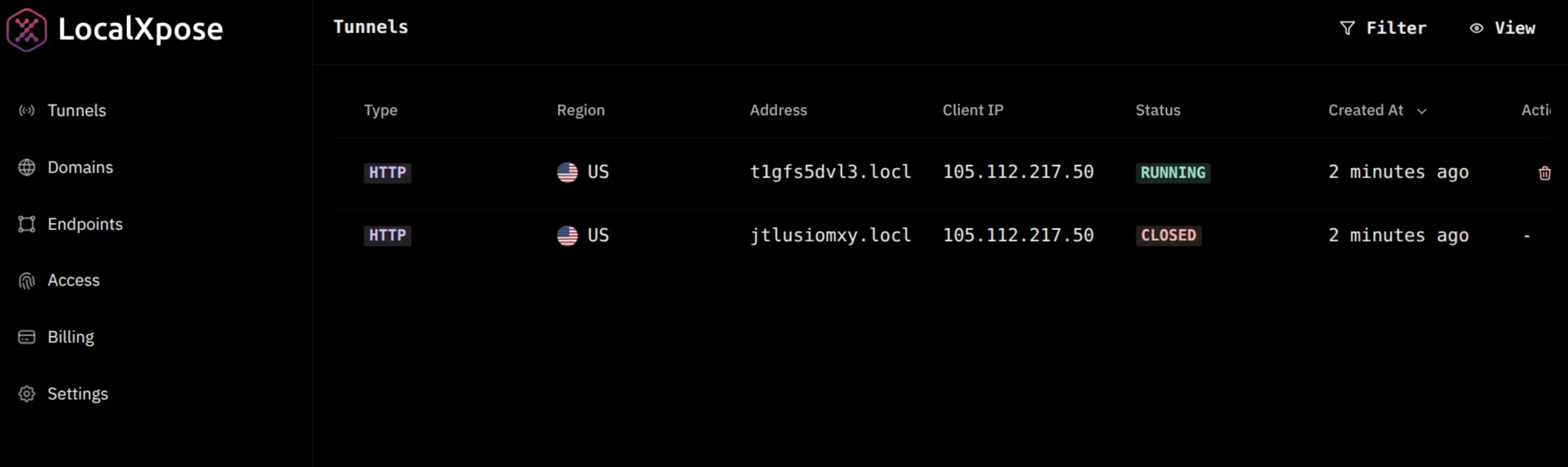
The reliability stands out, even on the free tier. Tunnels stay active for long-running services without the session timeouts that plague some alternatives.
Multi-protocol support opens doors Cloudflare Tunnel leaves closed:
- TCP tunneling for PostgreSQL, MySQL, or SSH access to remote databases
- UDP support for game servers requiring low-latency multiplayer
- IoT protocols like CoAP/DTLS that depend on UDP transport
- Single solution without switching tools for different protocols
Cross-platform support covers Windows, macOS, Linux, FreeBSD, and Docker. Both CLI and GUI options accommodate different workflows, with the GUI particularly useful for teams less comfortable with terminal commands.
A Reddit user noted: “I use LocalXpose, easy to use and cheap, runs Minecraft servers smooth.”
The built-in traffic inspection shows real-time request logs without external logging infrastructure. Request replay lets you resend identical payloads while debugging webhook handlers. Custom domain support with wildcard capabilities enables professional demos and white-label deployments.
LocalXpose Cons
The free tier limits you to 2 active HTTP tunnels. For teams needing more concurrent connections, the Pro plan is required.
LocalXpose is closed-source, which matters to organizations with strict open-source requirements.
Pricing
LocalXpose offers a free Starter plan with 2 HTTP/HTTPS tunnels suitable for testing and personal projects. The Pro plan costs $8/month ($96/year) and includes 10 active tunnels across all protocols (HTTP/HTTPS, TCP, UDP), custom domains, automatic Let’s Encrypt certificates, and unlimited bandwidth. Enterprise pricing is available for organizations requiring dedicated capacity, managed deployments, and premium support.
Security Model
Connections route through TLS 1.2+ encrypted tunnels with scoped access tokens that limit exposure if credentials leak. IP allowlists and authentication plugins provide layered access control without requiring VPN clients or firewall modifications. Built-in DDoS protection and rate limiting defend against common attacks. Comprehensive request logging provides complete audit trails for compliance and debugging.
Example Usage
Download LocalXpose for your platform. After signing up and verifying your email, log in to access your access token.
For CLI usage, authenticate first:
loclx account login
# or on Windows: loclx.exe account login
Start a tunnel to your local service:
loclx tunnel http --to localhost:8080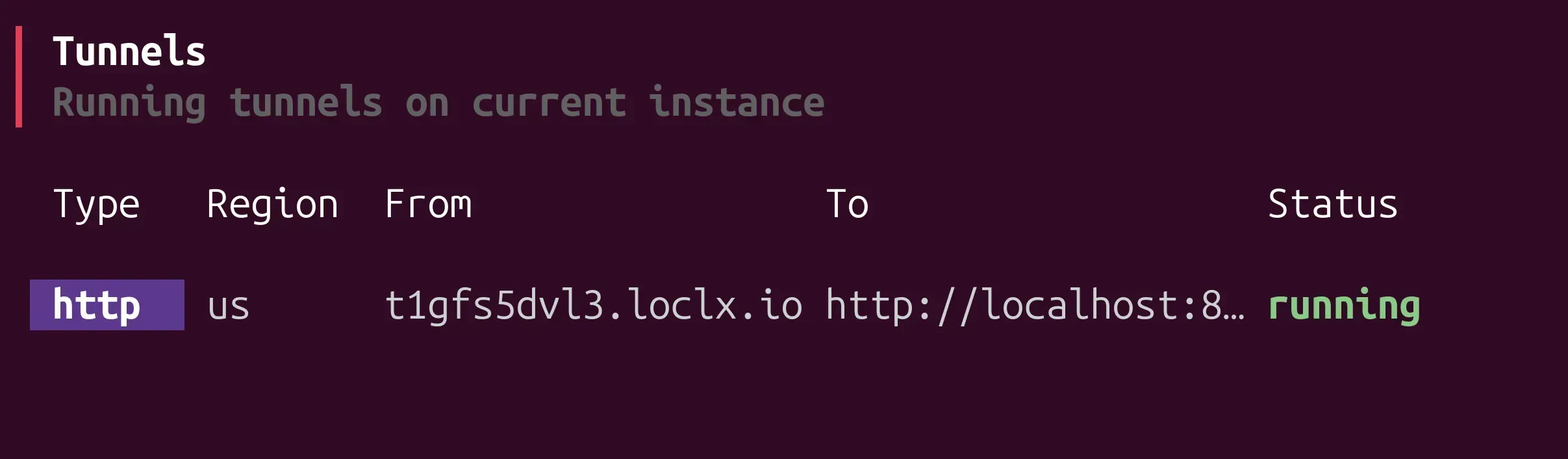
The GUI option runs in your browser, providing a visual interface for managing tunnels:
When LocalXpose Makes Sense
LocalXpose works particularly well for production deployments requiring 24/7 uptime, IoT device management across customer sites, self-hosted services behind residential networks, game server hosting, and remote access scenarios where traditional VPN setup isn’t practical. The combination of protocol support, reliability, and transparent pricing makes it suitable for both solo developers and enterprise teams.
2. LocalTunnel: Zero-Config Simplicity
LocalTunnel strips tunneling down to its essence: install via npm, run one command, get a public URL. No account creation, no configuration files, no dashboard to navigate. For developers who need to expose localhost for 15 minutes while testing a webhook or showing a client a quick demo, the simplicity is unmatched.
The open-source nature appeals to teams with transparency requirements. The tool has been around for years and remains a reliable option for basic HTTP/HTTPS tunneling scenarios. For a deeper comparison of LocalTunnel alternatives, see our dedicated guide.
LocalTunnel Pros
Setup takes under a minute: npm install -g localtunnel followed by lt --port 3000. You
immediately get a public URL without creating accounts or providing payment information.
The minimalist approach means no feature bloat. LocalTunnel does one thing—HTTP/HTTPS tunneling—without trying to be an all-in-one platform.
Being open-source, teams can audit the code, contribute fixes, or even self-host their own LocalTunnel server if needed.
LocalTunnel Cons
Random URLs change every time you restart the tunnel. For webhook integrations with services like Stripe or GitHub, you’re constantly updating webhook URLs as you work.
HTTP/HTTPS-only support means no TCP or UDP tunneling. You can’t expose PostgreSQL databases, game servers, or UDP-based IoT protocols.
Active maintenance has slowed significantly. Bug fixes and feature updates are infrequent, which creates reliability concerns for anything beyond casual testing.
No traffic inspection tools, custom domain support, or authentication options. You get a basic tunnel with none of the debugging features that speed up development.
The volunteer-maintained infrastructure can have extended downtime. When outages occur, there’s no SLA or support team to escalate issues to.
Pricing
Completely free and open source.
Security Model
Basic HTTPS encryption protects traffic in transit. The shared infrastructure means your tunnel runs on community-maintained servers with standard web security practices. No additional authentication or access controls are built in.
When LocalTunnel Makes Sense
LocalTunnel excels at quick, throwaway testing scenarios where you need a public URL for less than an hour. Client demos, temporary webhook testing, and basic localhost sharing work fine. For a detailed comparison with other tools, check out our LocalTunnel vs ngrok guide. For anything requiring reliability, custom domains, or non-HTTP protocols, other options prove more practical.
3. Tailscale: Zero Trust Mesh Networking
Tailscale takes a fundamentally different approach. Rather than exposing individual services to the public internet, it creates a private mesh network between your devices using WireGuard. This makes it ideal when you need secure access to your entire development environment, not just a single port.
The mesh networking model means devices connect directly to each other, not through a central relay. This often results in better performance and lower latency compared to traditional tunneling services that route everything through their servers.
Tailscale Pros
The security model is strong. Built on WireGuard with identity-based access control through SSO providers, it enforces zero-trust principles where only explicitly allowed connections work. Fine-grained ACLs let you define exactly who can access which resources.
Platform support is comprehensive: Windows, macOS, Linux, iOS, Android, and even embedded devices like Raspberry Pi. Setting up secure access across your entire infrastructure takes minutes.
MagicDNS automatically assigns readable names to devices, eliminating the need to remember IP addresses when connecting to services.
For infrastructure access, Kubernetes clusters, CI/CD runners, and internal services, Tailscale provides VPN-like security without the complexity of traditional VPN configuration.
Tailscale Cons
This isn’t a traditional public URL tool. When you need to share something with someone who can’t install Tailscale, the friction increases significantly. External stakeholders like clients need to be added to your tailnet.
The Funnel feature for public internet exposure is still in beta. Expect potential bugs and changes as the feature matures.
Pricing scales per user, which gets expensive for larger teams. At $6/user/month for the Starter plan, a 20-person team pays $120/month compared to flat-rate alternatives.
Some mobile users report battery drain issues, particularly on iOS devices with always-on VPN connections.
Pricing
The free Personal plan supports up to 3 users and 100 devices—sufficient for individual developers and small teams. Personal Plus costs $5/month for additional features. The Starter plan runs $6 per active user per month, targeting small teams. Premium costs $18 per active user per month with advanced networking and access controls. Enterprise pricing is custom for organizations needing compliance features and dedicated support.
Security Model
Tailscale builds on WireGuard for strong, modern end-to-end encryption. Identity-based authentication integrates with SSO providers. Fine-grained ACLs enforce access policies. The zero-trust networking model means only explicitly allowed connections succeed. Tailscale’s coordination servers help devices discover each other but cannot read or decrypt traffic.
Example Usage
Install Tailscale:
curl -fsSL https://tailscale.com/install.sh | shAuthenticate with your SSO provider:
sudo tailscale upYour local services are now accessible to other devices on your tailnet using their Tailscale IP addresses or MagicDNS hostnames.
To expose a service publicly using Funnel (beta):
tailscale funnel 8080When Tailscale Makes Sense
Tailscale works best for team environments where everyone can install the client, infrastructure access scenarios requiring VPN-like security, Kubernetes cluster access, CI/CD pipeline connectivity, and homelab setups where all devices are under your control. For quick public URL sharing with external stakeholders, traditional tunneling tools prove more straightforward.
4. sshuttle: VPN-Like Access Using Only SSH
sshuttle provides VPN-like functionality using only SSH—no VPN server setup, no complex networking configuration, just SSH access to a remote machine. This makes it useful when you lack administrative control over networks or when traditional VPN solutions aren’t available.
The tool intercepts traffic on your local machine and forwards it through an SSH connection, effectively routing your connection through the remote host. This approach works well for accessing private networks or routing traffic through specific exit points.
sshuttle Pros
The SSH-only requirement means it works in environments where you can’t install VPN software. If you have SSH access to a remote machine, you can create a tunnel.
No server-side setup is needed beyond having SSH running. You don’t need to install additional software on the remote host or configure complex routing rules.
All traffic encrypts through standard SSH mechanisms, inheriting SSH’s security properties without additional protocols.
Being fully open source, the implementation is transparent and auditable.
sshuttle Cons
This isn’t designed for exposing public HTTP services. It’s primarily a client-side tool for accessing remote networks, not for sharing your localhost with others.
Traffic inspection and access control capabilities are basic compared to modern Zero Trust tools. You get SSH-level security but not the fine-grained policies of dedicated tunneling platforms.
Performance can degrade over high-latency SSH connections, particularly for bandwidth-intensive applications.
No GUI, request inspection tools, or built-in file server capabilities. The focus is purely on network forwarding.
Pricing
Free and open source.
Security Model
Security relies entirely on the underlying SSH connection. All forwarded traffic encrypts end-to-end using SSH’s encryption. Authentication uses standard SSH credentials (passwords, keys, or certificates). The security posture is therefore directly tied to the strength of your SSH configuration.
Example Usage
After installation, forward all traffic through a remote SSH server:
sshuttle -r username@sshserver 0.0.0.0/0To exclude the SSH server itself from being tunneled:
sshuttle -r username@sshserver -x sshserver 0.0.0.0/0Platform Support
The client runs on Linux, macOS, and BSD systems. The remote SSH server can be any standard SSH-enabled system.
When sshuttle Makes Sense
sshuttle works well when you need VPN-like access to a remote network but lack administrative permissions to install traditional VPN software, when accessing private resources through an SSH bastion host, or when routing traffic through a specific geographic location. For exposing local services to the public internet, dedicated tunneling tools prove more appropriate.
5. Boring Proxy: Self-Hosted Simplicity
Boring Proxy embraces the philosophy that “boring software is useful software.” It’s a self-hosted reverse proxy and tunnel manager designed to make exposing private services as simple and uneventful as possible. The single executable contains both server and client components, using SSH under the hood for security.
The tool specifically targets self-hosters running services like Nextcloud, Jellyfin, or personal websites on private networks. It automates the tedious parts—HTTPS certificates, NAT traversal, secure tunneling—while providing a straightforward web interface for tunnel management.
Boring Proxy Pros
The single-binary design requires minimal configuration. Download one executable, run it, and the included web interface handles tunnel setup and management.
Automatic HTTPS via Let’s Encrypt eliminates manual certificate management. Services get valid SSL certificates without intervention.
The architecture works well for self-hosted services behind NAT or dynamic IPs. You run the server component on a VPS, and clients tunnel through from private networks.
The tool does what it needs to do without feature bloat, following the “boring software” philosophy of doing one thing well.
Boring Proxy Cons
You must run and maintain your own server. This means finding hosting, keeping the server updated, and handling any infrastructure issues yourself.
The smaller ecosystem and community mean fewer resources when troubleshooting issues. You won’t find extensive documentation or large communities of users sharing solutions.
Advanced access policies are limited compared to enterprise solutions. Basic password protection exists, but you don’t get the fine-grained access controls of platforms like Cloudflare Tunnel.
Pricing
Free and open source.
Security Model
Boring Proxy uses SSH protocol for secure tunneling between client and server. TLS termination can happen at the server, client, or application level depending on your needs. Let’s Encrypt certificates are automatically provisioned and renewed. Optional password protection adds basic access control. No exposed ports or firewall modifications are needed on the client side.
Example Usage
Boring Proxy consists of server and client processes that run continuously.
Starting the server:
./boringproxy server -admin-domain bpdemo.example.comOn first run, it creates a database file and displays a login link:
https://bpdemo.example.com/login?access_token=yJaicLl6zj48zZItXvtQGb4CH5m5fId5Starting a client:
./boringproxy client \
    -server bpdemo.example.com \
    -token fKFIjefKDFLEFijKDFJKELJF \
    -client-name demo-client \
    -user demo-user
The web interface then lets you create and manage tunnels without additional command-line work.
Platform Support
Boring Proxy runs on Linux, Windows, macOS, and ARM-based platforms including Raspberry Pi and Android. The single executable includes both server and client.
When Boring Proxy Makes Sense
Boring Proxy works best for self-hosters who want control over their infrastructure, homelab enthusiasts running services on private networks, and teams that prefer managing their own tunnel server. For those who want managed infrastructure or need enterprise features, cloud-hosted alternatives prove more practical.
Feature Comparison
| Feature | LocalXpose | LocalTunnel | Tailscale | sshuttle | Boring Proxy |
|---|---|---|---|---|---|
| Setup Complexity | Low (one command) | Very low | Low | Medium | Medium |
| Protocols | HTTP/S, TCP, TLS, UDP | HTTP/S only | All (VPN) | All (VPN) | HTTP/S |
| Public URL | Yes (instant) | Yes (instant) | Beta (Funnel) | Not designed | Yes |
| Custom Domains | Yes (Pro) | No | No | No | Yes |
| Persistent URLs | Yes | No (random) | Yes | N/A | Yes |
| Traffic Inspection | Yes (built-in) | No | Basic | No | Basic |
| Self-Hosted Option | No (cloud only) | Yes (open source) | No (cloud only) | Yes (local tool) | Yes (required) |
| Free Tier | 2 HTTP tunnels | Unlimited | 3 users/100 devices | Unlimited | Free (OSS) |
| Paid Plans | $8/mo | N/A | $6/user/mo | N/A | N/A |
| Bandwidth Limits | Unlimited (Pro) | Varies | Unlimited | Unlimited | Self-managed |
| UDP Support | Yes | No | Yes | No | No |
| GUI Available | Yes | No (CLI only) | Yes | No (CLI only) | Yes (web UI) |
| Authentication | Token, IP, Basic Auth | None | SSO/SAML/OIDC | SSH keys | Password |
| Maintenance | Managed service | Volunteer-run | Managed service | Self-maintained | Self-hosted |
Making Your Decision
The right Cloudflare Tunnel alternative depends on what limitations you’re trying to escape.
If vendor lock-in concerns you or you need protocols Cloudflare doesn’t support, LocalXpose provides production-grade tunneling without ecosystem coupling. The UDP support enables game servers and IoT devices, while straightforward pricing eliminates usage-based surprises.
For quick webhook testing, LocalTunnel gets you there fastest. Just know the reliability limitations. Tailscale works well for infrastructure access where everyone can install clients. If you have SSH access but can’t install VPN software, sshuttle provides VPN-like functionality. Self-hosters wanting full control should consider Boring Proxy.
Most engineers keep multiple tools for different scenarios—having options means you’re not forced to work around limitations when a better tool exists.
Conclusion
Cloudflare Tunnel works well within its ecosystem, but it’s not the only option for secure remote access. If you’re also evaluating ngrok alternatives, many of these same tools offer competitive features.
LocalXpose combines reliability and protocol support with developer-friendly setup. LocalTunnel provides the fastest path to a public URL for temporary testing. Tailscale replaces VPN complexity with zero-trust mesh networking. sshuttle delivers VPN-like access using only SSH. Boring Proxy gives self-hosters automated tunnel management.
Testing these tools with your actual workload reveals which features and trade-offs matter most for your specific needs.
