
ngrok UDP Alternative - Native UDP Tunneling with LocalXpose
ngrok does not support UDP tunnels. Discover the best ngrok UDP alternative for game servers, VoIP, and IoT. Set up UDP tunneling with LocalXpose in minutes.

If you’ve ever Googled “ngrok UDP alternative”, “does ngrok support udp”, or “ngrok udp tunnel”, you’re not alone. Thousands of developers hit the same wall every month: ngrok simply does not support UDP traffic. In 2026, this limitation still blocks entire categories of real-time applications, from game servers and VoIP to IoT devices and live streaming.
LocalXpose changes that. It offers native, easy-to-use UDP tunneling with zero router changes, global low-latency regions, and unlimited bandwidth on PRO plans. In this guide, we’ll explain why ngrok falls short, why UDP matters, and exactly how to set up a UDP tunnel with LocalXpose in minutes with real-life examples you can try today.
ngrok UDP Alternative: Quick Overview
LocalXpose supports native UDP tunneling with a single command:
loclx tunnel udp --to 127.0.0.1:19132. No router changes, no port forwarding, no CGNAT
workarounds. You get a public UDP endpoint in any of LocalXpose’s global regions, with unlimited
bandwidth on Pro plans.
Read on for a full breakdown of UDP tunneling, why ngrok falls short, and step-by-step setup examples for common use cases.
What Are UDP Tunnels?
UDP (User Datagram Protocol) is a connectionless, lightweight protocol designed for speed. Unlike TCP, it skips handshakes and retransmissions, making it perfect for real-time data where a few lost packets don’t matter.
A UDP tunnel forwards UDP packets from a public internet address straight to your local machine (or vice versa). This lets you expose UDP-based services without port forwarding or dealing with CGNAT/firewalls — the same core problem any local tunnel solves, but for UDP instead of HTTP.
Why Are UDP Tunnels Important?
UDP is essential whenever low latency beats perfect reliability:
- Online Gaming Servers - Minecraft Bedrock, Valheim, CS2, Rust, or any UDP-based game. Players need fast sync without lag.
- VoIP & Video Calls - TeamSpeak, Discord voice, custom WebRTC, or SIP servers. Even one extra millisecond ruins the experience.
- IoT & Sensor Networks - Devices using CoAP, DTLS, or custom telemetry send small packets rapidly.
- Live Streaming & Broadcasting - Real-time audio/video feeds or game streaming.
- DNS & Custom Protocols - Fast query services or any app that uses UDP for performance.
Without a proper UDP tunnel, you’re forced into expensive VPS servers or unreliable workarounds.
Does ngrok Support UDP Traffic? The ngrok UDP Limitation
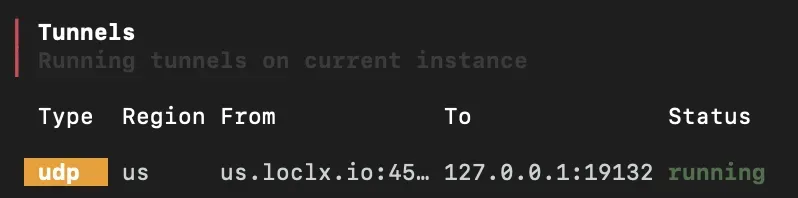
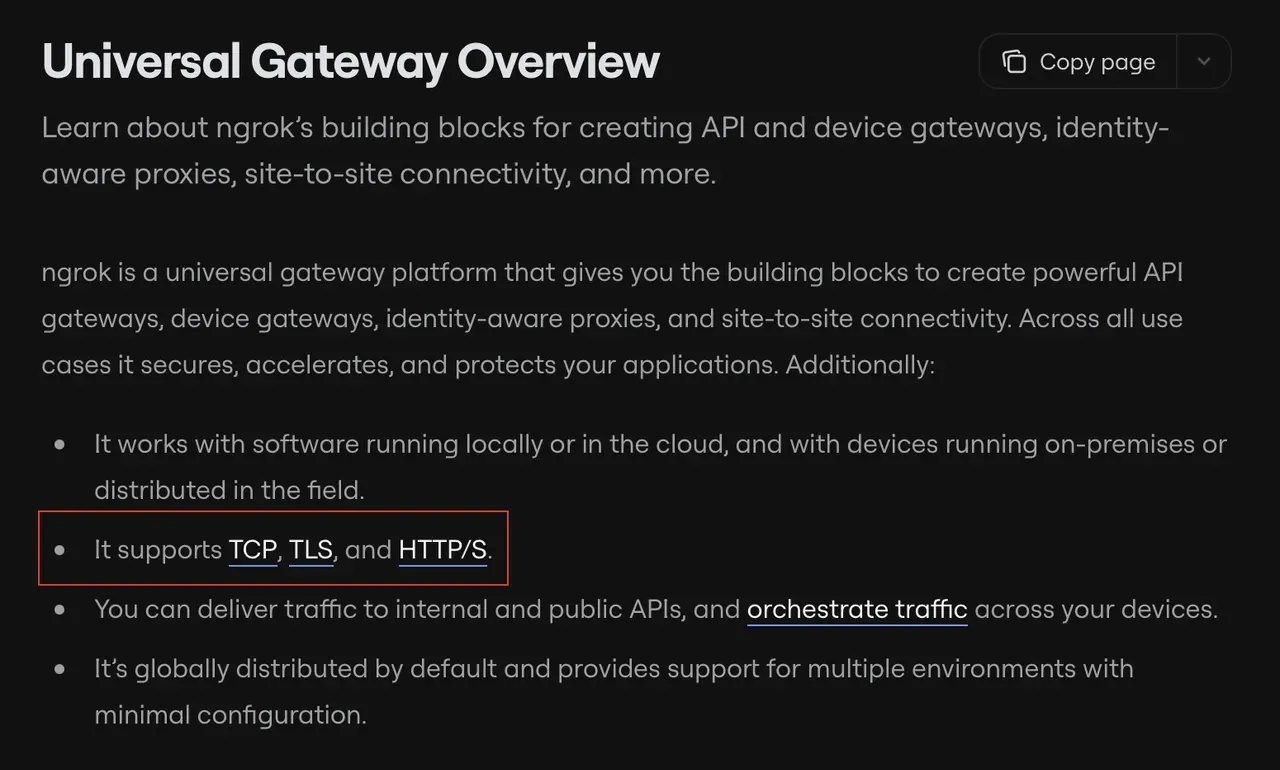
Short answer: No. As of 2026, ngrok still has zero native UDP support. It only handles HTTP, HTTPS, and TCP.
You can confirm this yourself by visiting ngrok’s documentation - they list TCP endpoints but never mention UDP. Many developers waste hours trying workarounds (TCP-to-UDP proxies, SSH hacks, third-party wrappers) only to discover high latency or dropped packets.
This limitation is why searches for “ngrok UDP alternative” and “ngrok udp tunnel” keep growing. ngrok is great for web apps and testing webhooks locally, but it simply wasn’t built for real-time UDP workloads.
LocalXpose: The Best ngrok UDP Alternative
LocalXpose is a tunneling service that gives you
everything ngrok can’t: native UDP tunnels (loclx tunnel udp), global regions for minimal ping,
reserved endpoints, and unlimited bandwidth on PRO. It works on Windows, Linux, and macOS, requires
no router changes, and works behind CGNAT.
LocalXpose vs ngrok
| Feature | ngrok | LocalXpose |
|---|---|---|
| UDP Support | No | Yes (native) |
| TCP / HTTP Support | Yes | Yes |
| Bandwidth | Limited (free tier) | Unlimited (PRO) |
| Global Regions | Limited | Multiple (low ping) |
| Reserved Endpoints | Paid only | Yes |
| Setup Time | Medium | 5 minutes |
| Best For | Web apps | Gaming, VoIP, IoT |
For a broader comparison across more tools, see the best ngrok alternatives guide.
How to Set Up a UDP Tunnel with LocalXpose
Step-by-Step Setup
-
Sign Up: Create an account at localxpose.io and follow the instructions under Start your first tunnel.
-
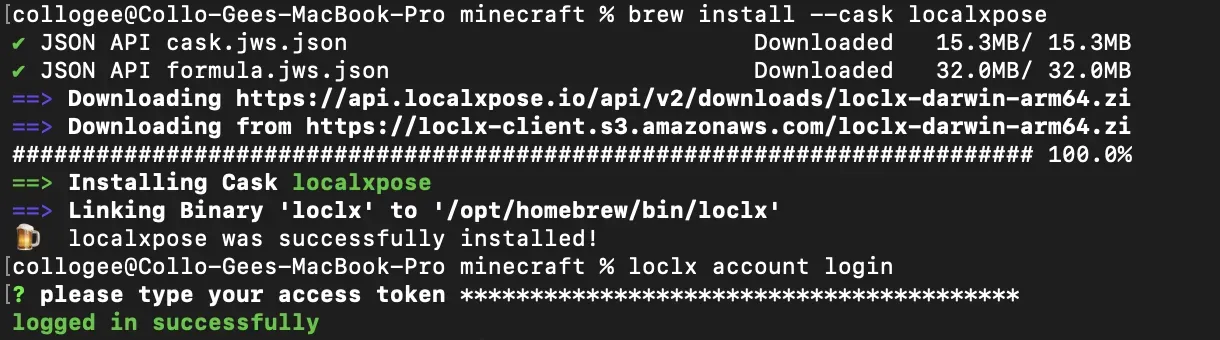
Install CLI: Download for your OS (Windows: .exe; Linux: snap/deb/binary; macOS: binary). Install via command or GUI.
-
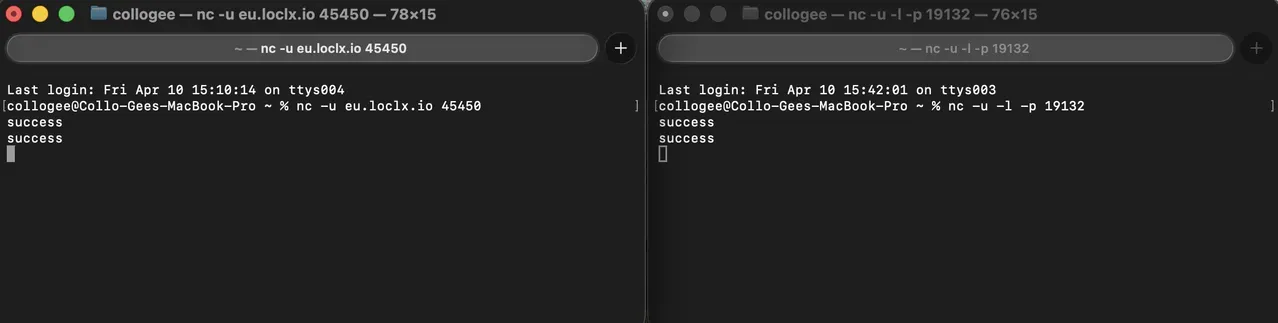
Start a Local UDP Service: Run a simple UDP echo server in terminal/cmd.
nc -u -l -p 19132 -
Create Tunnel: In terminal/CMD, run:
loclx tunnel udp --port 4506 --to 127.0.0.1:19132 --region usChoose region like
us,eufor best latency; loclx will choose a random available port. -
Test the Tunnel: From another device or online tool, send UDP packets to the public address.
LocalXpose UDP Tunneling in Action
- Minecraft Bedrock Server - Friends join via
eu-x.loclx.io:45450with zero port forwarding. For a full server setup walkthrough, see the Minecraft port forwarding guide. - TeamSpeak / VoIP Server - Run a private voice server from your laptop.
- IoT Development - Expose a Raspberry Pi sensor board for remote testing. This pairs well with IoT remote access workflows.
- Live Game Streaming - Broadcast gameplay with minimal delay.
Users who switched from ngrok report instant success with these exact scenarios.
Pricing
LocalXpose Pro costs $8/month ($96/year) and includes:
- 10 active tunnels across all protocols (HTTP/HTTPS, TCP, TLS, UDP)
- Unlimited bandwidth — no overage charges
- Custom domains
- Automatic Let’s Encrypt certificates
- Global region selection
The free Starter plan includes 2 HTTP tunnels, which is enough to evaluate the service before committing to paid.
Conclusion
If you’re searching for a ngrok UDP alternative, LocalXpose is the clear winner in 2026. It removes the exact pain point ngrok never solved - native UDP tunneling - while being faster, cheaper, and easier to use.
Ready to ditch the limitations?
- Sign up at localxpose.io
- Try UDP tunnels now: localxpose.io/docs/tunnels/udp
No more “does ngrok support udp” frustration. Start tunneling today and bring your real-time apps online in minutes.
