
ngrok vs Tailscale vs LocalXpose - Which Tool Fits Your Needs?
Compare ngrok vs Tailscale vs LocalXpose for tunneling and remote access. Features, pricing, protocols, and use cases to help you pick the right tool.

Introduction
ngrok, Tailscale, and LocalXpose are three widely adopted tools in the developer connectivity space, but each solves a fundamentally different problem. ngrok and LocalXpose are tunneling tools designed to make your local machine reachable from the public internet. Tailscale is primarily designed for private device-to-device connectivity, though its beta Funnel feature does offer limited public exposure.
This comparison breaks down the key differences in features, pricing, protocols, and real-world use cases so you can pick the right tool - or combination of tools - for your specific needs.
ngrok vs Tailscale Overview
ngrok and Tailscale represent two distinct approaches to connectivity.
ngrok is a localhost tunneling tool that gives your local services a public URL. It’s built for exposing web servers, testing webhooks, and sharing demos with anyone on the internet.
Tailscale creates a private mesh network between your devices using WireGuard. It’s designed for secure internal access - connecting your laptop to a remote database, accessing a homelab from your phone, or linking CI/CD runners to private infrastructure. Tailscale’s Funnel feature can expose services publicly, but it’s still in beta with limited port options (443, 8443, 10000 only).
The key question: do you need public exposure (ngrok, LocalXpose) or private device-to-device connectivity (Tailscale)? For some teams, the answer is both.
LocalXpose: A Better Alternative to ngrok and Tailscale
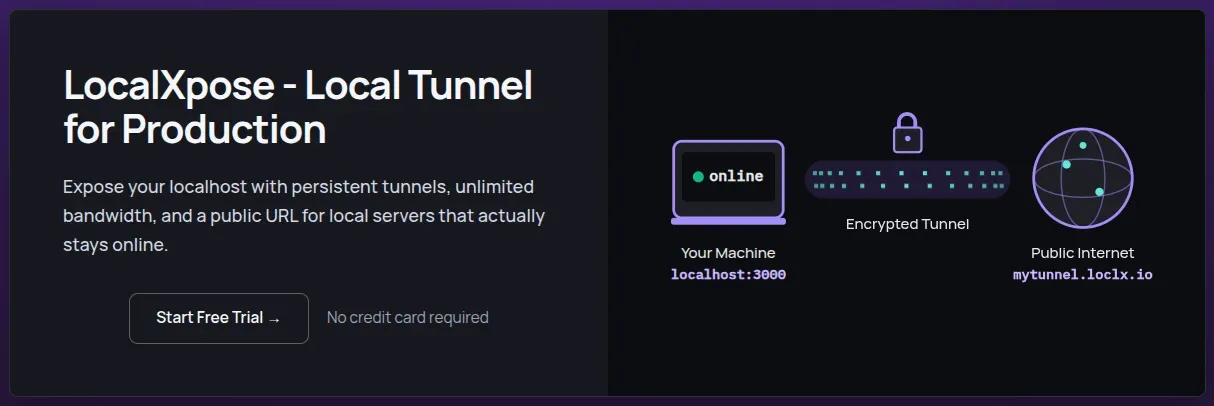
LocalXpose bridges the gap between Tailscale’s network mesh complexity and
ngrok’s tunnel-focused simplicity while addressing their key limitations. Unlike Tailscale, which is
primarily designed for private mesh networking requiring agents on every connected device,
LocalXpose is purpose-built for public tunneling with advanced protocol support and production
features. Tailscale’s Funnel can expose services publicly, but it’s beta-only, restricted to three
ports, and locked to *.ts.net subdomains with no custom domain support.
Unlike ngrok’s bandwidth caps and overage charges, LocalXpose offers truly unlimited bandwidth on paid plans at the same $8/month price point.
LocalXpose also has comprehensive protocol support including UDP (which ngrok lacks), making it the only tunneling option here for gaming servers, VoIP testing, and UDP-based IoT devices.
The platform combines a user-friendly GUI with advanced features like real-time traffic inspection, webhook replay, and a built-in file server for sharing directories directly over the internet.
Here is what a LocalXpose user had to say about the service on Hacker News:
For myself, the thing that impresses me most about the LocalXpose service, is that it is plug-n-play. I did not have to configure the ISP’s router to open any ports, didn’t have to turn off or limit the macOS firewall, didn’t have to open Mullvad VPN to local traffic or configure it in any other way, didn’t have to approve more than 3 connections in Little Snitch. These are the “pain points” that I’ve encountered in the past with apps of this nature.
Feature Comparison - ngrok vs Tailscale vs LocalXpose
| Feature | LocalXpose | ngrok | Tailscale |
|---|---|---|---|
| UDP support | ✅ Yes | ❌ No | ✅ Yes |
| Custom domains | ✅ Yes | ✅ Yes | ❌ No |
| Real-time traffic inspection | ✅ Yes | ✅ Yes | ❌ No |
| Webhook replay | ✅ Yes | ✅ Yes | ❌ No |
| Desktop GUI | ✅ Yes | ❌ No | ❌ No |
| Zero Trust / identity-based access | ❌ No | Partial | ✅ Yes |
| Kubernetes operator | ❌ No | ✅ Yes | Partial |
| Unlimited bandwidth (paid) | ✅ Yes | ❌ No | ✅ Yes |
| Built-in file server | ✅ Yes | ❌ No | ❌ No |
ngrok Overview

ngrok is the most established of the three, having been around the longest. It started as an open-source project but is now proprietary. ngrok positions itself as an all-in-one cloud networking platform that combines ease of use with enterprise capabilities.
ngrok supports HTTP/S, TCP, and TLS protocols and offers a programmable traffic policy engine, making it a solid choice for developers who need scalable tunneling with advanced traffic control built in.
The platform includes automatic SSL certificates and a Traffic Inspector for real-time request debugging. Features like DDoS protection and WAF rules are available through ngrok’s Traffic Policy engine as paid add-ons billed per 100K traffic policy units.
Key Features
- Localhost tunneling with advanced access control (IP restrictions, OAuth, Mutual TLS, rate limiting)
- Real-time traffic inspection with detailed headers, body, and latency breakdowns
- Webhook payload replay for faster debugging
- Custom domain support with wildcard capabilities
- Automatic SSL certificates and end-to-end encryption
- Kubernetes Operator for native k8s ingress integration
Pros
- Enterprise-ready feature set with comprehensive API, Terraform, and SDK support
- Smart routing across a worldwide edge network
- Strong traffic inspection and observability tooling
Cons
- No UDP protocol support, which blocks gaming, VoIP, and IoT use cases
- Free tier is essentially a one-time $5 trial credit that doesn’t replenish
- Bandwidth caps and overage charges ($0.10/GB) on paid plans
- No built-in file server for sharing directories
- Pricing can escalate quickly for teams needing multiple reserved domains or high traffic
Example Usage
To get started, create an account on ngrok to get your auth token.
Install ngrok:
snap install ngrokConnect your agent to your account. Replace <YOUR_TOKEN> with the token from your dashboard.
ngrok config add-authtoken <YOUR_TOKEN>This links your local ngrok installation to your ngrok account for authentication.
Start a tunnel to your local service running on port 8000:
ngrok http 8000ngrok displays a public URL you can share immediately. The tunnel stays active as long as the process runs.
Tailscale Overview
Tailscale is a mesh networking solution that provides device-to-device connectivity across any environment, powered by WireGuard. It’s designed as a replacement for legacy VPNs, connecting remote teams, multi-cloud environments, and CI/CD pipelines without exposing services to the public internet.
It’s important to understand that Tailscale solves a fundamentally different problem than ngrok or LocalXpose. Where tunneling tools create public endpoints, Tailscale creates private encrypted networks between your devices. Its Funnel feature (still in beta) can expose services publicly, but that’s not its primary purpose.
Key Features
- Cross-platform client with support for Windows, macOS, Linux, iOS, Android, and embedded devices
- Zero Trust mesh networking using WireGuard under the hood
- Identity-based access control via SSO integration
- MagicDNS for fixed IPs and DNS-friendly device naming
- Kubernetes and CI/CD pipeline connectivity without bastion hosts
- Subnet routing for accessing private network resources
Pros
- Identity-first security with SSO integration and automatic key rotation eliminates manual PKI management
- Infrastructure agnostic - works seamlessly across clouds, on-prem, and hybrid environments
- Mobile apps available for iOS and Android
- Generous free tier with nearly all features included
Cons
- Designed for private mesh connectivity, not public-facing tunnel exposure
- Requires installing the Tailscale client on every device in the private tailnet (though Funnel-exposed services can be accessed publicly without a client)
- No built-in traffic inspection, webhook replay, or request-level debugging tools
- Funnel (public exposure feature) is still in beta, limited to ports 443, 8443, and 10000
- Some users report battery drain issues on iOS with always-on VPN connections
Example Usage
Install Tailscale:
curl -fsSL https://tailscale.com/install.sh | shThis downloads and installs the Tailscale client for your platform.
Authenticate with your SSO provider:
sudo tailscale upYour local services are now accessible to other devices on your tailnet using their Tailscale IP addresses or MagicDNS hostnames.
To expose a service publicly using Funnel (beta):
tailscale funnel 8080This creates a public HTTPS endpoint on your Tailscale domain. Note that Funnel is limited to ports 443, 8443, and 10000.
LocalXpose Overview
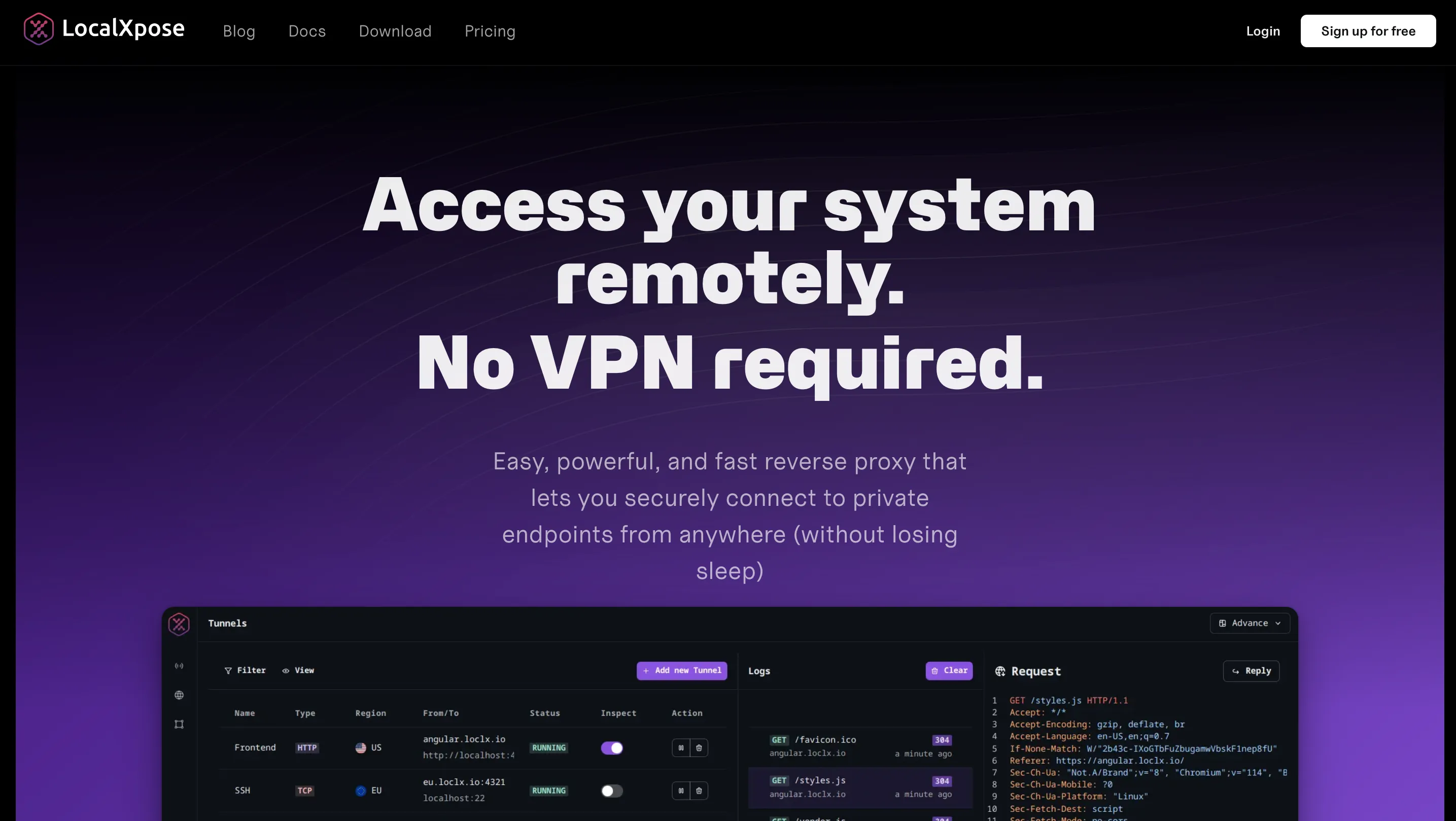
LocalXpose is a fully managed tunneling platform that combines ease of deployment with production-ready features.
LocalXpose stands out with support for all major protocols (HTTP/S, TCP, TLS, UDP) and predictable flat-rate pricing with no bandwidth surprises. It’s built for developers, homelabbers, and businesses that need always-on tunnels without the complexity of VPNs or traditional port forwarding.
The platform includes built-in DDoS protection, automatic SSL certificates, real-time traffic inspection, and a built-in file server for sharing directories directly over the internet - all manageable through both a CLI and a desktop GUI.
Key Features
- Cross-platform CLI and intuitive desktop GUI (Windows, macOS, Linux, FreeBSD, Docker)
- Always-on tunneling with automatic reconnection and 24/7 availability
- Advanced access control via IP allow lists, scoped tokens, and per-tunnel authentication
- Real-time HTTP, TCP, and UDP traffic inspection with webhook payload replay
- Custom domain and wildcard subdomain support with automatic Let’s Encrypt certificates
- Full protocol support: HTTP/S, TLS, TCP, and UDP
- Built-in plugins for rate limiting, HTTP-to-HTTPS redirect, and dynamic header editing
- Built-in file server for sharing directories over the internet without additional setup
Pros
- Production-ready from day one with always-on tunnels and flat-rate billing
- True multi-protocol support - UDP enables gaming servers, VoIP, and IoT use cases that ngrok can’t handle
- Fully managed reliability with SSL certificates, DDoS protection, and scaling handled for you
Cons
- Free tier limited to 2 HTTP tunnels with time limits and an interstitial page
- No self-hosted or on-premise deployment option
- No native Kubernetes operator (yet) - DevOps teams may need custom integrations for k8s workflows
- Smaller ecosystem compared to more established competitors
- Mobile app not available
Example Usage
Download LocalXpose for your platform. After signing up and verifying your email, log in to access your access token.
For CLI usage, authenticate first:
loclx account login
# or on Windows: loclx.exe account login
Start a tunnel to your local service:
loclx tunnel http --to localhost:8080LocalXpose assigns a public HTTPS URL and starts forwarding traffic to your local server immediately.
The GUI option runs in your browser, providing a visual interface for managing tunnels without using the terminal.
Pricing Comparison
This section breaks down how the three tools compare across free and paid tiers.
Free tier breakdown:
ngrok’s free tier provides $5 of one-time included usage credit, up to 3 online endpoints, 1GB data transfer, and 20K HTTP/S requests. Once that credit runs out, you can’t use additional traffic - making it function more like a trial than an ongoing free plan.
LocalXpose offers a genuine ongoing free tier with 2 HTTP tunnels and SSL encryption included indefinitely. There are no credits to deplete and no surprise cutoffs, though free tunnels come with time limits and an interstitial warning page.
Tailscale’s free Personal plan is generous. It supports up to 6 users with unlimited user devices and access to nearly all of Tailscale’s features, indefinitely. The catch is that it’s built for private mesh networking, not public tunnel exposure, so it serves a fundamentally different need. Tagged resources (servers, containers) are capped at 50 on the free tier.
Entry-level paid plans:
ngrok’s Hobbyist plan runs $8/month billed annually ($10 billed monthly). You get 3 online endpoints, 5GB bandwidth, and 100K HTTP/S requests included. Beyond those limits, there’s no additional usage - the hard cap means your tunnels stop working until the next billing cycle.
LocalXpose Pro also costs $8/month billed annually, but offers 10 active tunnels, full protocol support including UDP, unlimited bandwidth, and custom domains. No usage meters, no overage fees. For teams running multiple services or high-traffic webhooks, the flat-rate model is more predictable.
Tailscale Standard comes in at $8 per user per month, making it the most expensive at team scale. A 10-person team pays $80/month compared to a single $8/month LocalXpose Pro plan. Tailscale Standard adds unlimited users, SCIM provisioning, and MDM integrations, but again, it solves private connectivity rather than public tunnel exposure.
Enterprise tier:
ngrok’s Pay-as-you-go plan starts at $20/month with additional usage charges beyond the included limits. It unlocks unlimited endpoints, bring-your-own-domain support, wildcard endpoints, and advanced traffic policies. A strong choice for teams that need programmable enterprise networking.
LocalXpose Enterprise offers dedicated capacity, priority support, log retention, and hands-on engineering support with custom pricing. Tailscale Enterprise extends into PAM, AI security, CI/CD, and Kubernetes connectivity at scale - also custom pricing.
Here is a pricing comparison table for quick reference:
| Feature | ngrok Free | ngrok Hobbyist | LocalXpose Free | LocalXpose Pro | Tailscale Personal |
|---|---|---|---|---|---|
| Price | Free (one-time $5) | $8/mo | Free (ongoing) | $8/mo | Free (ongoing) |
| Active Endpoints | 3 online | 3 online | 2 HTTP tunnels | 10 tunnels | N/A (mesh VPN) |
| Bandwidth | 1GB (from credit) | 5GB included | Unlimited | Unlimited | Unlimited |
| Overage Charges | Hard limit | Hard limit | None | None | None |
| Custom Domains | 1 dev domain | ngrok domains | ❌ No | Full custom | ❌ No |
| UDP Support | ❌ No | ❌ No | ❌ No (free) | ✅ Yes | ✅ Yes |
| Users | 1 | 1 | 1 | 1+ | Up to 6 |
Features Comparison
ngrok, Tailscale, and LocalXpose have overlapping capabilities but vastly different implementation approaches. This table compares the features that matter most when choosing between them.
| Feature | ngrok | Tailscale | LocalXpose |
|---|---|---|---|
| Primary Purpose | Public localhost tunneling | Private mesh networking | Public localhost tunneling |
| Protocol Support | HTTP/S, TCP, TLS | All (WireGuard VPN) | HTTP/S, TCP, TLS, UDP |
| Custom Domains | ✅ Yes (paid plans) | ❌ No | ✅ Yes (paid plans) |
| Wildcard Domains | ✅ Yes (Pay-as-you-go) | ❌ No | ✅ Yes (paid plans) |
| SSL/TLS Certificates | Automatic with custom domains | Automatic (for Funnel) | Automatic Let’s Encrypt integration |
| Authentication | OAuth, JWT, OIDC, IP restrictions (paid) | SSO/SAML/OIDC, identity-based | Scoped tokens, Basic Auth, IP whitelisting |
| Traffic Inspection | ✅ Yes (web interface with replay) | ❌ No | ✅ Yes (real-time logging with replay) |
| Rate Limiting | ✅ Yes (via Traffic Policy, paid) | ❌ No | ✅ Yes (built-in plugin) |
| Request Replay | ✅ Yes | ❌ No | ✅ Yes |
| GUI Application | ❌ No (CLI + web dashboard) | System tray app + web console | ✅ Yes (CLI + desktop GUI) |
| Always-On Tunnels | ✅ Yes (paid plans) | ✅ Yes (mesh is always-on) | ✅ Yes (designed for 24/7 operation) |
| Built-in File Server | ❌ No | ❌ No | ✅ Yes |
| Kubernetes Operator | ✅ Yes | ✅ Yes | ❌ No |
| Self-Hosted Option | ❌ No | Headscale (community) | ❌ No |
| Mobile App | ❌ No | ✅ Yes (iOS, Android) | ❌ No |
| API Access | ✅ Yes (comprehensive) | ✅ Yes | ✅ Yes (for automation/CI/CD) |
Use Case Comparison
| Use Case | ngrok | Tailscale | LocalXpose |
|---|---|---|---|
| Quick Webhook Testing | Excellent - traffic inspection and replay | Not designed for this | Excellent - real-time logging, payload replay |
| Sharing Demos with Clients | Good - public URL, but interstitial page on free tier | Limited - Funnel works but is beta with port and domain restrictions | Good - instant public URL |
| Production Tunnels (24/7) | Good - with paid plans and agents | Limited - Funnel is beta and port-restricted, not recommended for production | Excellent - designed for always-on use |
| Game Server Hosting | Not suitable - no UDP support | Limited - Funnel is port-restricted and not suited for game traffic | Good - TCP/UDP support, public endpoints |
| IoT Device Management | Limited - TCP only | Good - secure device mesh | Excellent - TCP/UDP, always-on tunnels |
| Team Infrastructure Access | Limited - not primary focus | Excellent - built for this | Limited - tunneling, not mesh VPN |
| CI/CD Pipeline Connectivity | Good - comprehensive API, k8s operator | Excellent - native k8s and CI/CD support | Good - CLI automation, Docker support |
| Self-Hosting & Homelab | Good - stable with paid plans | Excellent - secure remote access to all devices | Excellent - always-on, multiple protocols |
| VPN Replacement | Not applicable | Excellent - primary use case | Not applicable |
| Remote Access to Customer Sites | Limited | Limited - Funnel exposes publicly but with beta and domain constraints | Excellent - no client install needed, full protocol support |
Conclusion
ngrok, Tailscale, and LocalXpose each solve a fundamentally different problem, and understanding that distinction is key to choosing the right tool.
ngrok pioneered localhost tunneling and has evolved into a full cloud networking platform with strong traffic inspection and observability tools. It’s a solid choice for teams that need enterprise-grade API debugging and don’t mind usage-based pricing.
Tailscale’s primary focus is Zero Trust mesh networking for private connectivity, though its beta Funnel feature does offer limited public exposure. If your main need is secure infrastructure access across distributed teams, Tailscale is purpose-built for that.
LocalXpose combines the public tunneling simplicity of ngrok with protocol support and pricing that work better for developers running multiple services. With UDP support, unlimited bandwidth on the Pro plan, and transparent flat-rate pricing at $8/month, it’s particularly well-suited for production tunnels, game servers, and IoT deployments where ngrok’s limitations and Tailscale’s beta-only public tunneling fall short.
For many teams, the answer is a combination: Tailscale for internal device connectivity and LocalXpose or ngrok for public-facing tunnel needs. The best approach is to test each tool with your actual workload - all three offer free tiers to evaluate before committing.
